Multi-User Translation Solution · Google Translate
Letting two people translate a conversation on their own phones
A Google Translate concept: Duo Mode and Friend Mode end the back-and-forth of one shared device. Learnability tested at 87%.
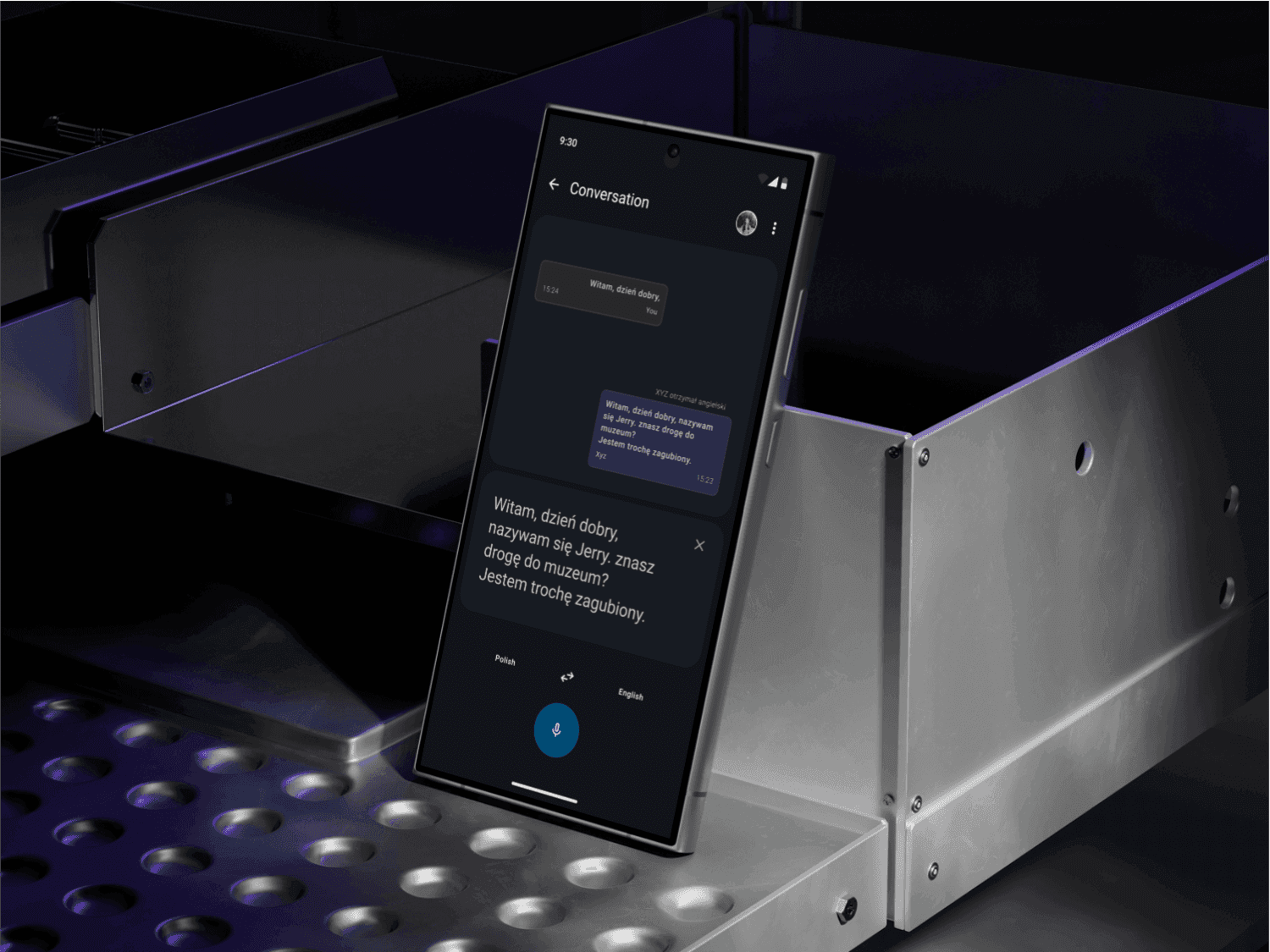
The problem
One phone, two speakers, a broken conversation
Tourists, international students and business people pass one device back and forth to translate. Every hand-off breaks the flow of the conversation.
What I did
I designed two new modes, then tested them
Working solo over 3 months, I ran desk research, a focus group and a diary study. I then designed and prototyped Duo Mode and Friend Mode, so each person can use their own device.
Impact
87% learnability, and a clear list of what to fix
People learned the new modes quickly. Completion sat at 51%, and most errors came from navigation, not translation. That pointed straight at the next iteration.
73%
total error rate, higher than expected
51%
completion rate
87%
learnability
01 · Goals
What we set out to do
- Design easier communication modes, Duo Mode and Friend Mode, to make conversation more efficient
02 · Research
Translation works better when the device is close to the speaker
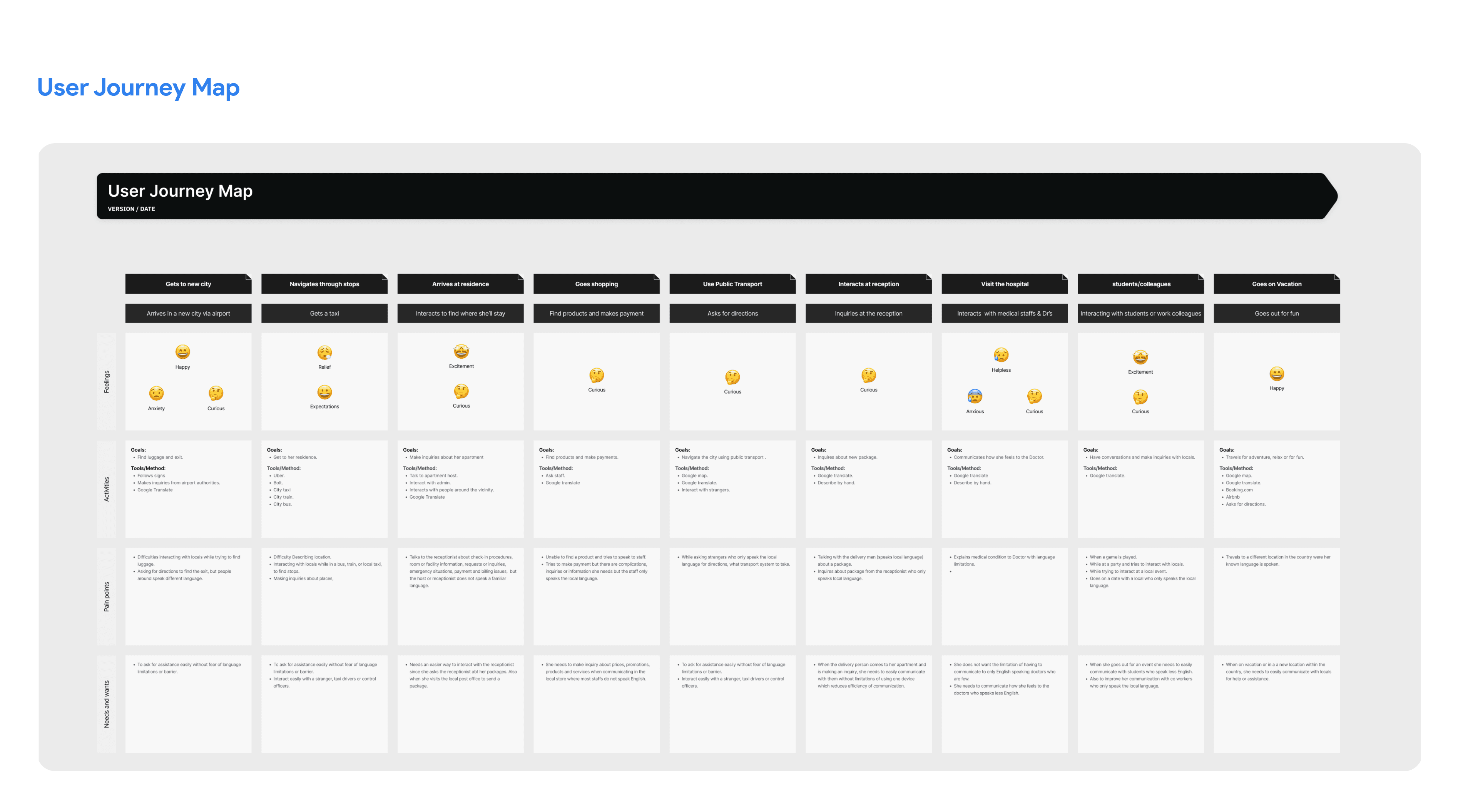
I mapped the user journey, including activities, feelings, pain points and needs, and ran desk research, a focus group and a diary study.
- Translation works better when the device is closer to the speaker.
- Sharing a device makes the UI hard to use: text legibility, light and dark mode, and accessibility.
- Translate is hard to use offline, in flight mode or without a connection.
03 · Define
Scoped to real-time conversation across two languages
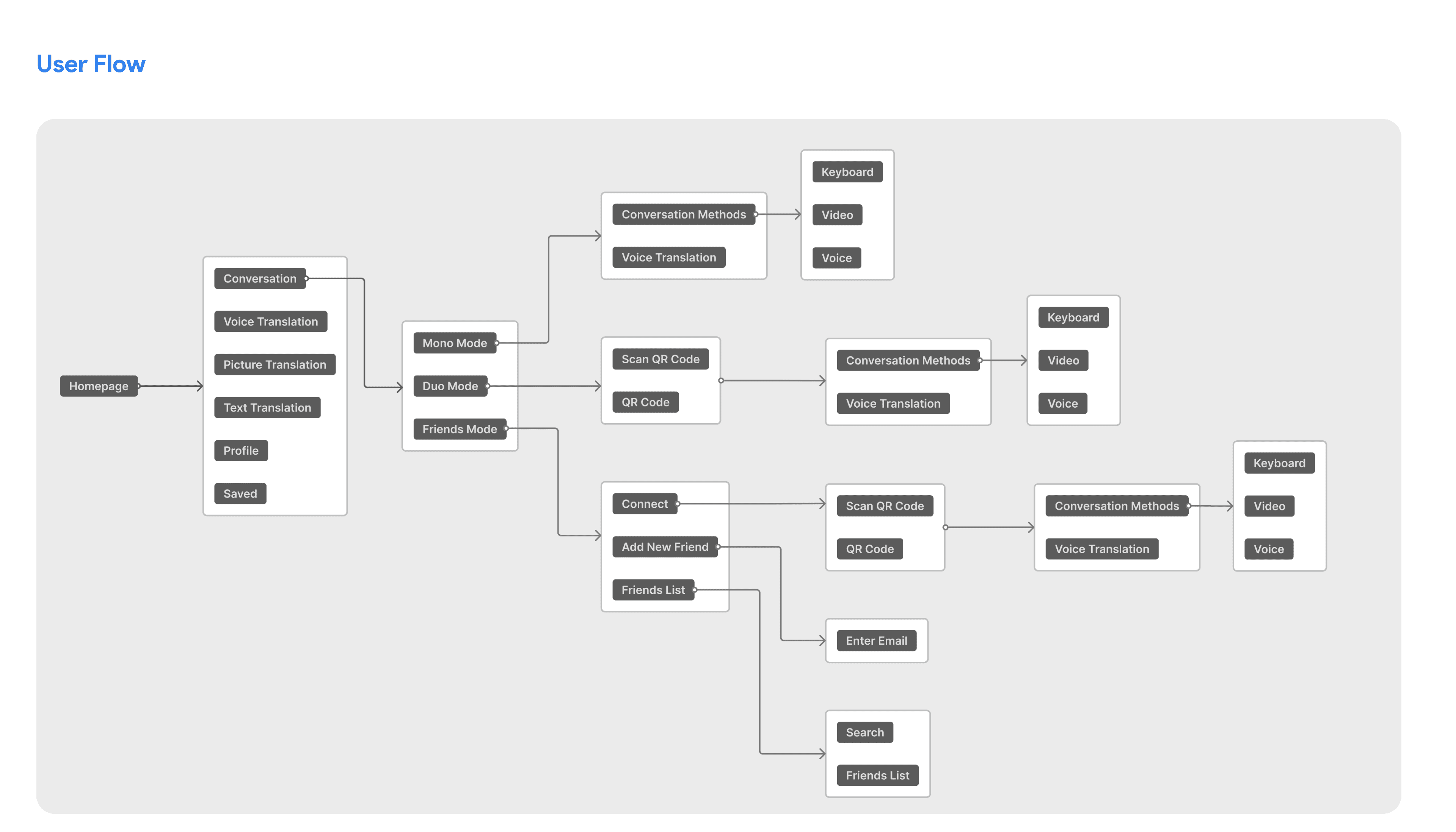
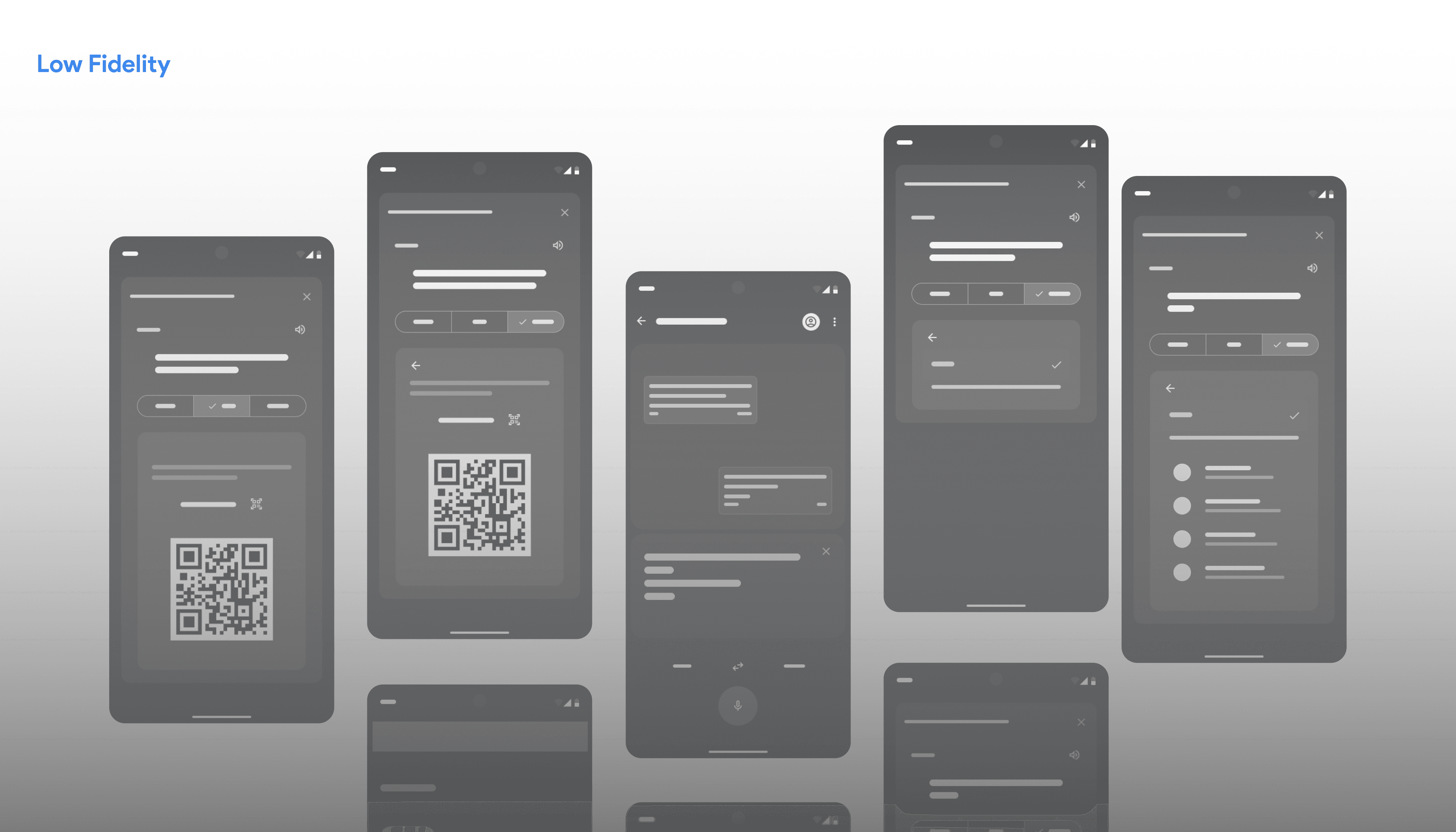
How might travellers, students and professionals talk with people who speak another language without passing one device back and forth? I set the scope around real-time conversation between people who speak different languages, then built personas, journey maps, user flows and wireframes before visual design.
04 · Two modes, one conversation
Three modes for three kinds of conversation
Mono Mode is the current experience: one device handles translation for both speakers. It is simple, but it means passing the device back and forth.
Duo Mode connects two devices temporarily. Each person uses their own phone, the conversation flows, nothing is saved, and no personal information is shared. It suits short exchanges with strangers.
Friend Mode is for budding friendships across a language barrier. Each person keeps their own device with a more persistent connection, combining efficiency with features that help people build relationships.
05 · Results
Navigation, not translation, caused most errors
Testing the translation itself as a prototype was hard. In the usability test, most errors came from navigation and user-flow problems, which pointed to the next iterations.